Most on-call teams do not have an alerting problem — they have an alert *design* problem. Paging on static thresholds like CPU above 80% creates noise that trains engineers to ignore notifications. By the time a real outage arrives, the channel has become background chatter. SLO-based alerting flips the model: you define what "good" looks like for users, measure it continuously, and page only when you are burning error budget faster than you can afford.
A Service Level Indicator (SLI) is a quantitative measure of user-perceived reliability. For an API, the SLI might be the proportion of requests that complete in under 300ms with a non-5xx status code. For a checkout flow, it could be successful payment completions divided by attempted checkouts. The key is choosing indicators that correlate with user pain — not infrastructure vanity metrics that can look healthy while customers cannot complete their work.
Once you have an SLI, you set a Service Level Objective (SLO) — a target value over a rolling window. A common starting point is 99.9% availability over 30 days, which sounds generous until you realize it allows only 43 minutes of downtime per month. That budget becomes your shared currency between product, engineering, and leadership. When budget remains, teams can ship aggressively. When budget burns, reliability work takes priority.
Google's multi-burn-rate approach remains the gold standard for turning SLOs into actionable alerts. Instead of firing when you dip below 99.9% at any instant, you alert when you are consuming error budget at rates that would exhaust the entire monthly allowance within hours or days. A fast burn might page immediately; a slow burn might ticket for the next sprint. Acme implements these windows natively so you do not need to hand-roll PromQL for every service.
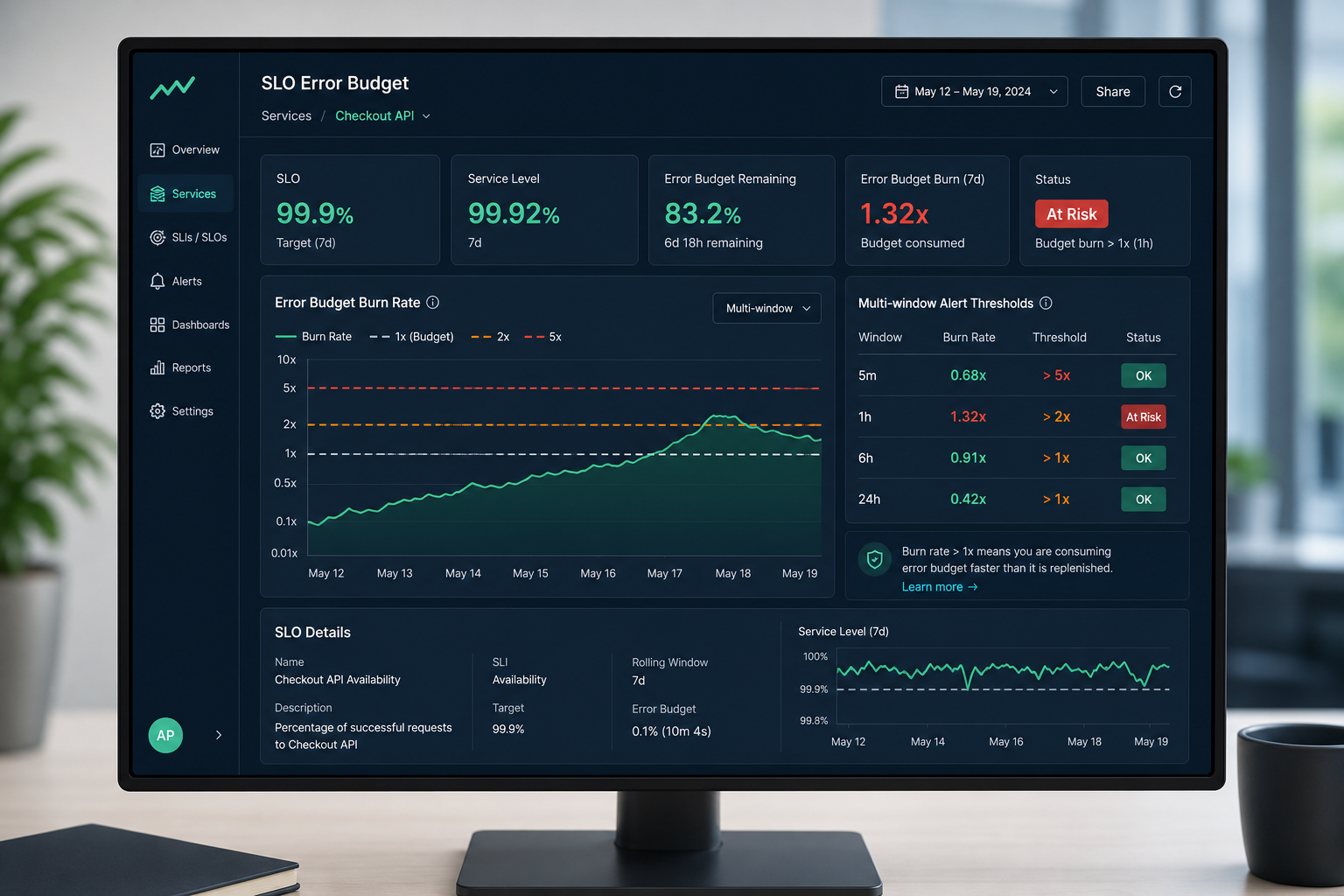
Start with two or three critical user journeys — not every microservice. Map each journey to one primary SLI, one SLO, and one runbook link. Resist the urge to SLO everything on day one. Teams that succeed treat SLOs as a product decision documented alongside feature specs, not as a late-stage infrastructure afterthought.
Error budgets also give product and engineering a shared language for release velocity. When budget is healthy, the team ships features. When budget is depleted, freezes and reliability investments take precedence until the trend recovers. This removes the subjective "are we stable enough to deploy?" debate from every Friday afternoon standup.
Alert routing matters as much as alert logic. SLO alerts should land in the same Slack channel as your incident response workflow, with severity mapped to burn rate. Pair every alert with a deep link to the Acme dashboard panel showing the SLI time series, recent deploys, and correlated log errors — so the engineer who acks the page starts with context, not a blank terminal.
Review your alert signal-to-noise ratio monthly. If an SLO alert has not corresponded to user-impacting work in 90 days, tighten the window or raise the threshold. If engineers are still getting paged for non-SLO static alerts, deprecate those rules. The goal is a single coherent paging strategy, not a museum of legacy thresholds nobody dares delete.
Acme customers typically reduce pages by 55–70% within one quarter of adopting SLO-based alerting — while catching real outages earlier because fast-burn alerts surface partial failures before they become full outages. Northwind Logistics went from 340 pages per month to 89 without missing a single customer-reported incident.
Ready to implement? Start with Acme's Golden Signals template, pick one production service, and define a latency and availability SLI. Enable multi-burn-rate alerts from the Alerting → SLO tab, connect Slack, and run a game day to validate the rules fire when you inject latency. The first SLO takes an afternoon; the cultural shift takes a quarter — but your on-call team will feel the difference within the first week.